Only this pageAll pages
Powered by GitBook
1 of 10

uae

Getting Started

Loading...

Loading...

Basics

Loading...

Loading...

Loading...

Loading...

Loading...

Loading...

Dubai Museum: A Glimpse into the City's Past

Located in the historic Al Fahidi Fort, Dubai Museum is the city’s oldest museum, offering visitors an in-depth look at Dubai’s transformation from a small fishing village to a modern metropolis.

Dubai Museum: A Glimpse into the City's Past

Located in the historic Al Fahidi Fort, Dubai Museum is the city’s oldest museum, offering visitors an in-depth look at Dubai’s transformation from a small fishing village to a modern metropolis. The museum showcases artifacts and exhibits that highlight the traditional Bedouin way of life, the pearl diving industry, and the city’s rich cultural heritage.

  • Key Exhibits: Life-size dioramas of old Dubai, archaeological finds, and interactive displays.

  • Location: Al Fahidi Fort, Bur Dubai.

  • Highlights: The underground galleries provide an immersive experience, allowing visitors to see what life was like before the oil boom.

2. Madame Tussauds Dubai: Meet the Stars

Dubai’s very own Madame Tussauds brings the world-famous wax museum to the Middle East. Visitors can get up close with lifelike wax figures of global celebrities, historical icons, and sports stars. From famous actors and singers to political leaders, the museum offers a fun and interactive experience where visitors can pose with their favorite stars.

  • Key Figures: Wax replicas of global and regional celebrities like Shah Rukh Khan, Queen Elizabeth II, and Kylie Jenner.

  • Location: Bluewaters Island, near Ain Dubai.

  • Highlights: The Bollywood and Middle Eastern music sections are particularly popular with regional visitors, offering a unique local touch to the experience.

3. Museum of Illusions: Where Reality is an Illusion

The Museum of Illusions in Dubai is a fun and mind-bending experience for visitors of all ages. The museum features a range of optical illusions, interactive exhibits, and puzzles that challenge your perception of reality. From gravity-defying rooms to holograms and kaleidoscopes, it’s a place where science meets art in the most entertaining way.

  • Key Exhibits: The Ames Room (where visitors appear to shrink or grow), the Infinity Tunnel, and the Vortex Tunnel.

  • Location: Al Seef, near Dubai Creek.

  • Highlights: The illusions are both visually stunning and educational, offering a great way to explore the principles of science and human perception.

4. Museum of the Future: A Vision of Tomorrow

One of Dubai's most innovative attractions, the Museum of the Future offers a glimpse into the world of tomorrow. Designed as a futuristic space, this museum combines cutting-edge technology, sustainability, and imagination to explore how the world might evolve in the coming decades. The building itself is an architectural marvel, shaped like a giant eye with Arabic calligraphy carved into its surface.

  • Key Exhibits: Futuristic scenarios on topics like space exploration, climate change, and AI-driven cities.

  • Location: Sheikh Zayed Road, near Emirates Towers.

  • Highlights: Each floor is dedicated to a different theme, such as health, technology, or the future of transportation. The museum also features immersive experiences that allow visitors to interact with futuristic concepts and technologies.

Conclusion

Dubai's museums offer a fascinating mix of history, culture, entertainment, and futuristic visions. Whether you're looking to delve into the city's rich past at Dubai Museum, pose with wax celebrities at Madame Tussauds, challenge your senses at the Museum of Illusions, or step into the future at the Museum of the Future, there’s something for every kind of explorer

Editor

GitBook has a powerful block-based editor that allows you to seamlessly create, update, and enhance your content.

Writing content

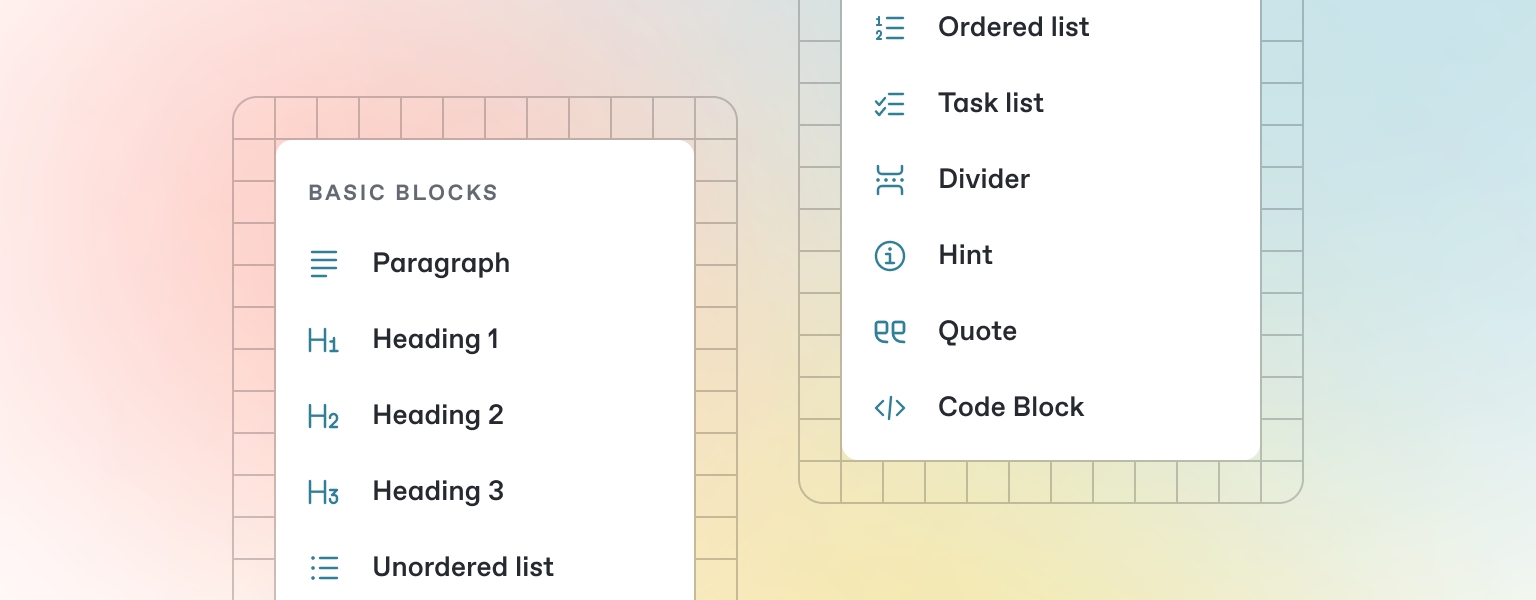
GitBook offers a range of block types for you to add to your content inline — from simple text and tables, to code blocks and more. These elements will make your pages more useful to readers, and offer extra information and context.

Either start typing below, or press / to see a list of the blocks you can insert into your page.

Markdown

GitBook supports many different types of content, and is backed by Markdown — meaning you can copy and paste any existing Markdown files directly into the editor!

Feel free to test it out and copy the Markdown below by hovering over the code block in the upper right, and pasting into a new line underneath.

# Heading

This is some paragraph text, with a [link](https://docs.gitbook.com) to our docs. 

## Heading 2
- Point 1
- Point 2
- Point 3

If you have multiple files, GitBook makes it easy to import full repositories too — allowing you to keep your GitBook content in sync.

Images & media

GitBook allows you to add images and media easily to your docs. Simply drag a file into the editor, or use the file manager in the upper right corner to upload multiple images at once.

Add alt text and captions to your images

You can also add images simply by copying and pasting them directly into the editor — and GitBook will automatically add it to your file manager.

Interactive blocks

In addition to the default Markdown you can write, GitBook has a number of out-of-the-box interactive blocks you can use. You can find interactive blocks by pressing / from within the editor.

Tabs

Each tab is like a mini page — it can contain multiple other blocks, of any type. So you can add code blocks, images, integration blocks and more to individual tabs in the same tab block.

Add images, embedded content, code blocks, and more.

Expandable sections

Click me to expand

Expandable blocks are helpful in condensing what could otherwise be a lengthy paragraph. They are also great in step-by-step guides and FAQs.

Drawings

Embedded content

GitBook supports thousands of embedded websites out-of-the-box, simply by pasting their links. Feel free to check out which ones.

Integrations

GitBook integrations allow you to connect your GitBook spaces to some of your favorite platforms and services. You can install integrations into your GitBook page from the Integrations menu in the top left.

Types of integrations

are supported natively

Analytics

Track analytics from your docs

Support

Add support widgets to your docs

Interactive

Add extra functionality to your docs

Visitor Authentication

Protect your docs and require sign-in

const handleFetchEvent = async (request, context) => {
    return new Response({message: "Hello World"});
};

Publish your docs

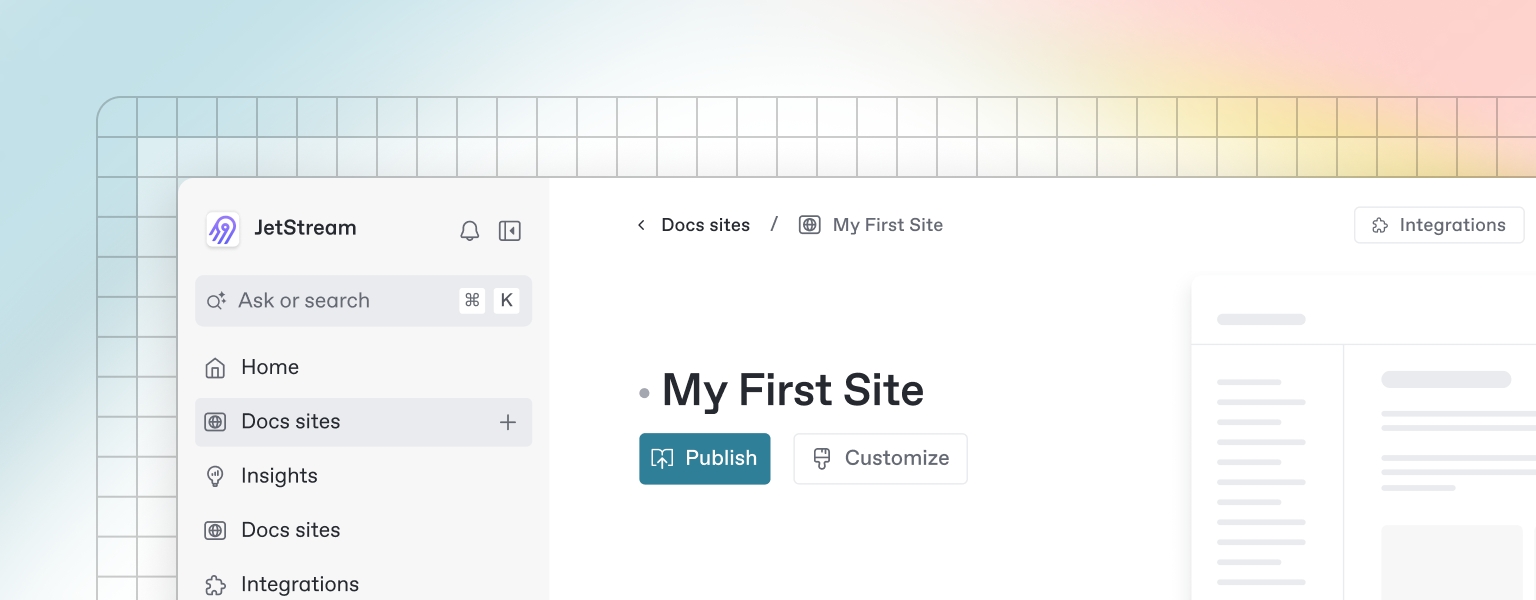
Once you’ve finished writing, editing, or importing your content, you can publish your work to the web as a docs site. Once published, your site will be accessible online only to your selected audience.

You can publish your site and find related settings from your docs site's homepage.
OpenAPI

You can sync GitBook pages with an OpenAPI or Swagger file or a URL to include auto-generated API methods in your documentation.

OpenAPI block

GitBook's OpenAPI block is powered by Scalar, so you can test your APIs directly from your docs.

Add a new pet to the store.

post

Add a new pet to the store.

Required scopes
This endpoint requires the following scopes:
  • : modify pets in your account
  • : read your pets
Authorizations
OAuth2implicitRequired
Authorization URL:
Body
idinteger · int64OptionalExample: 10
namestringRequiredExample: doggie
photoUrlsstring[]Required
statusstring · enumOptional

pet status in the store

Possible values:
Responses
200

Successful operation

400

Invalid input

422

Validation exception

default

Unexpected error

post
/pet
{
  "id": 10,
  "name": "doggie",
  "category": {
    "id": 1,
    "name": "Dogs"
  },
  "photoUrls": [
    "text"
  ],
  "tags": [
    {
      "id": 1,
      "name": "text"
    }
  ],
  "status": "available"
}
POST /api/v3/pet HTTP/1.1
Host: 
Authorization: Bearer YOUR_OAUTH2_TOKEN
Content-Type: application/json
Accept: */*
Content-Length: 133

{
  "id": 10,
  "name": "doggie",
  "category": {
    "id": 1,
    "name": "Dogs"
  },
  "photoUrls": [
    "text"
  ],
  "tags": [
    {
      "id": 1,
      "name": "text"
    }
  ],
  "status": "available"
}